Honeycomb Patterns Digital Papers
If you’ve ever searched for versatile, high-resolution pattern backgrounds that work across print and digital projects—especially ones with clean geometry, subtle texture, and strong visual rhythm—you’ve likely encountered Honeycomb Patterns Digital Papers. These aren’t just decorative repeats; they’re precision-crafted design assets built for real-world use: from DIY invitations and social media graphics to product mockups, fabric prints, and branding elements. What sets quality honeycomb digital papers apart isn’t just the hexagonal motif—it’s consistency in scale, color integrity, seamless tiling, and resolution fidelity.
Why Honeycomb Patterns Stand Out (and Why Not All Do)
The honeycomb shape carries natural appeal: it suggests structure, efficiency, and organic order—ideal for modern branding, educational materials, or nature-inspired crafts. But not every “honeycomb” digital paper delivers on that promise. Some rely on low-res JPEGs stretched beyond usability. Others use inconsistent spacing, uneven line weights, or overly saturated colors that shift unpredictably when printed. Worse, many lack true 300 dpi output at standard craft sizes like 12×12 inches—making them unsuitable for physical products like greeting cards or fabric transfers.
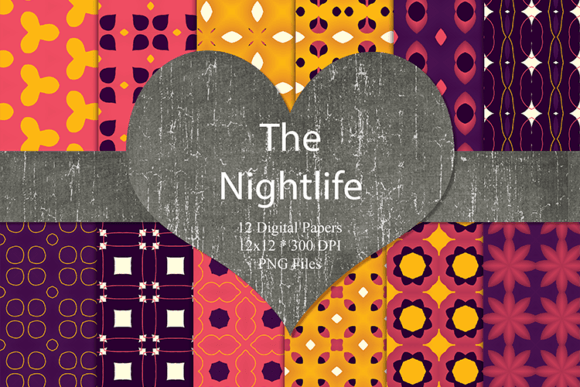
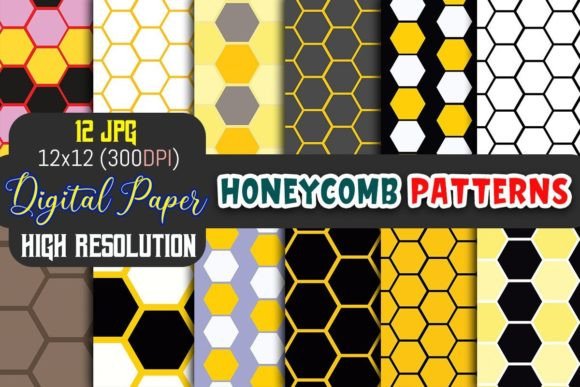
This is where a thoughtfully made set—like the one you’ll receive—makes a tangible difference. Twelve unique designs, each created at full 300 dpi resolution and sized precisely for 12×12 inch use, mean no guesswork about scaling or pixelation. Each pattern is built to tile seamlessly without visible seams—a detail often overlooked until you’re halfway through a large-format poster or a custom phone case layout.
Common Oversights When Choosing Honeycomb Digital Papers
Mistake #1: Assuming “digital paper” means “ready for all uses.” Not all digital papers are equal in format or flexibility. Some sellers offer only PNGs with transparent backgrounds—great for overlays but problematic for CMYK printing or fabric dye-sublimation. Others provide only RGB JPEGs with no color profile embedded, risking mismatched hues between screen and final print. The set you’re getting includes optimized JPEGs with consistent color space and resolution—designed for both screen preview and professional output.
Mistake #2: Skipping the extraction step—or misjudging file handling. These files arrive compressed in a single ZIP. That’s standard—and smart—for delivery efficiency. But if you try to open them directly in a design app without extracting first, you’ll hit errors or blank previews. Double-clicking the ZIP usually works on most systems, but for reliability, use your OS’s built-in archive tool or a trusted utility like 7-Zip. Once extracted, verify that all 12 files appear with correct names and sizes (each should be ~5–12 MB depending on complexity).
Mistake #3: Overlooking compatibility with your workflow. While JPEGs work in nearly every program—from Canva and Cricut Design Space to Adobe Photoshop and Affinity Designer—some users expect layered PSDs or vector-based SVGs. This set doesn’t include those formats, and that’s intentional: JPEGs at 300 dpi strike the best balance of universal access, file size, and print fidelity. If you need editable vectors or transparency, consider pairing these papers with simple clipping masks or using them as base layers—not standalone flexible assets.
How to Use Honeycomb Patterns Digital Papers Effectively
Start by matching pattern scale to your project’s context. A tightly spaced honeycomb works beautifully for notebook covers or small labels; a larger, bolder repeat shines on tote bags or wall posters. Test a 2-inch square swatch before committing to full-sheet printing—this reveals how line weight and contrast hold up at your intended size.
For T-shirt or mug designs, avoid placing text or logos directly over busy areas of the pattern unless you add a subtle drop shadow or light/dark overlay to ensure legibility. In scrapbooking or invitation suites, layer a solid-color frame or vellum overlay to soften the hexagon density and create visual breathing room.
When using these papers in digital marketing—say, for Instagram story templates or email headers—resize carefully. Don’t stretch the 12×12 file to fill a 1080×1350 canvas without resampling. Instead, crop thoughtfully or use the pattern as a background element behind centered content. That preserves sharpness and avoids blurring.
What to Check Before You Download (or Buy)
- Resolution confirmation: Look for explicit mention of “300 dpi at 12×12 inches”—not just “high resolution” or “print-ready.”
- File count & naming: Twelve distinct files should be clearly named (e.g., “Honeycomb-Charcoal,” “Honeycomb-Mint-Subtle”)—not generic labels like “pattern1.jpg” through “pattern12.jpg.”
- Color accuracy notes: Reputable creators mention whether files are sRGB (standard for web) or include CMYK guidance for print vendors.
- Usage rights clarity: Confirm whether personal, commercial, or extended licenses apply—especially if you plan to sell items featuring these patterns (e.g., printable planners or physical stationery).
This set supports both personal and small-business commercial use—no attribution required—but always review the included license text. It’s brief, clear, and written for actual use—not legal obfuscation.
A Practical Note on Real-World Results
One creator recently used three of these honeycomb papers to design a series of reusable grocery bags for her local farmers’ market stall. She printed them via a local DTG (direct-to-garment) printer—and because the files were true 300 dpi with consistent edge definition, the hexagons stayed crisp even on textured cotton canvas. Another educator adapted two patterns into classroom posters about bee habitats and geometric symmetry, printing them on matte cardstock. No banding, no moiré, no surprises.
That reliability comes from intention—not luck. Every pattern was tested across multiple devices, scaled down for thumbnails and up for banners, and reviewed in both RGB and soft-proofed CMYK previews. That kind of attention is what turns a “nice-looking download” into a dependable design resource.
If you’ve tried other honeycomb digital papers and found them too thin, too noisy, or too inconsistent—this set answers those gaps directly. It’s not about adding more options to your library. It’s about having twelve that simply work, right away, across the projects that matter to you.